Import Certificate
Navigate to:
Certificates (Local Computer) > Personal > Certificates
Right-click Certificates and select:
All Tasks > Import
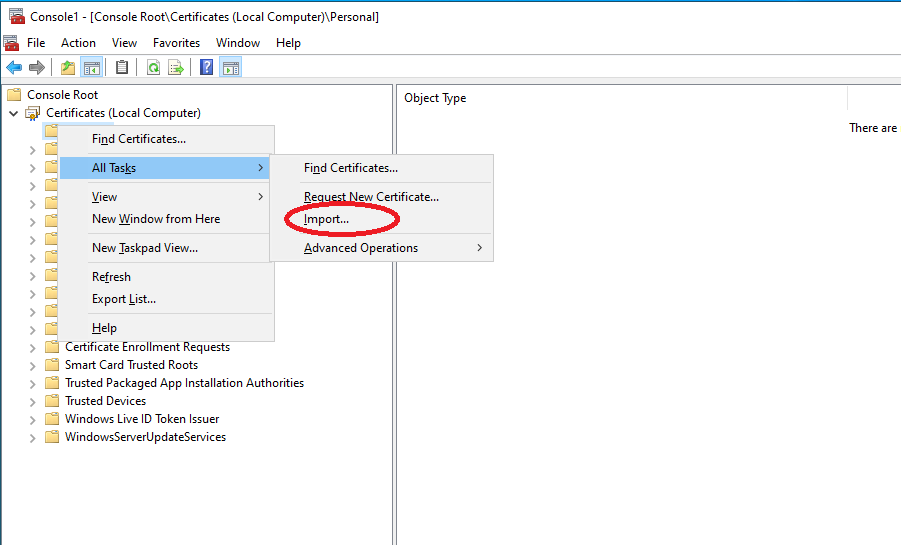
Follow the Certificate Import Wizard and select the certificate provided by the Certificate Authority.
After a successful import, the certificate should show that a private key is associated with it.
In the Certificates MMC console, this is typically indicated by a key symbol or by the message:
You have a private key that corresponds to this certificate.