Create a Certificate Request with Windows MMC
Windows can create a Certificate Signing Request (CSR) using the Microsoft Management Console (MMC) and the Certificates snap-in.
This method is useful when the private key should remain in the Windows certificate store.
Open the Certificates Snap-In
- Press Windows + R.
- Enter:
mmc.exe - Click OK.

This opens the Microsoft Management Console (MMC)

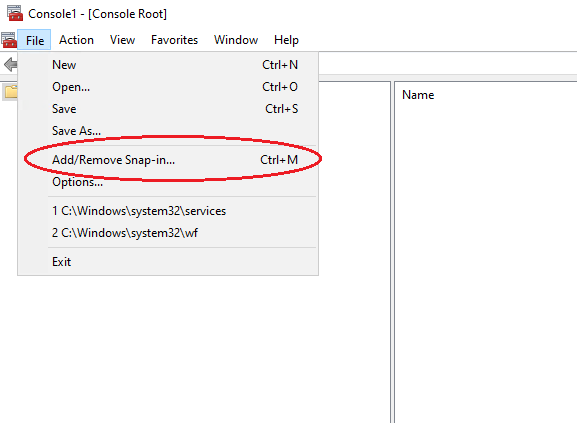
In the Microsoft Management Console, select:
File > Add/Remove Snap-in (or Ctrl+M)
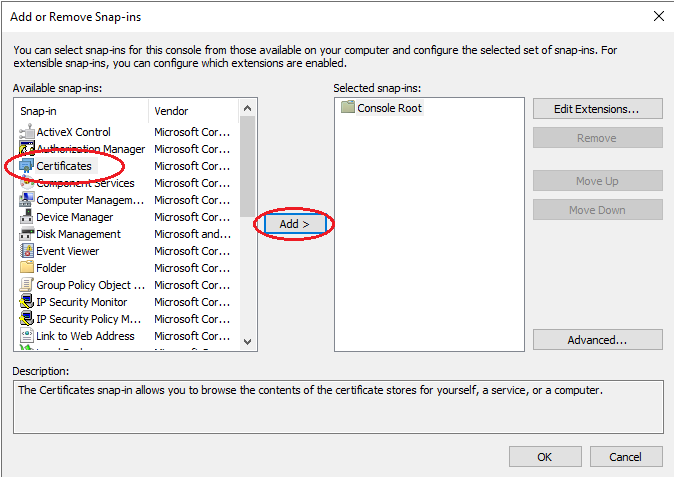
Select Certificates and click Add.
Select Computer account and click Next.
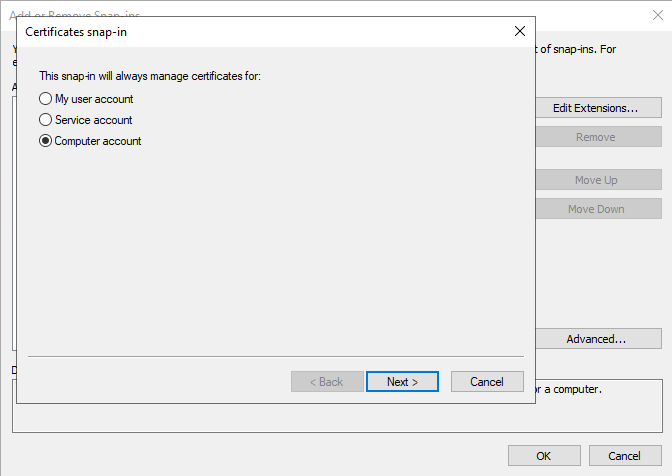
Select Local computer and click Finish and OK on the next screen.